How to Program Key for 2023 Volvo XC60 with KEYDIY KD-X4
KEYDIY KD-X4 is a versatile tool for key programming on modern vehicles like the 2023 Volvo XC60. This guide covers obtaining the vehicle password via CEM module reading and adding a new smart key in All Keys Lost scenario. Ensure you have the KEYDIY KD-X4, OBD cable, and wiring diagram ready.
Step 1: Obtain Vehicle Password via CEM Module
Disassemble the CEM module from the vehicle.
Locate the wiring diagram for proper pin connections.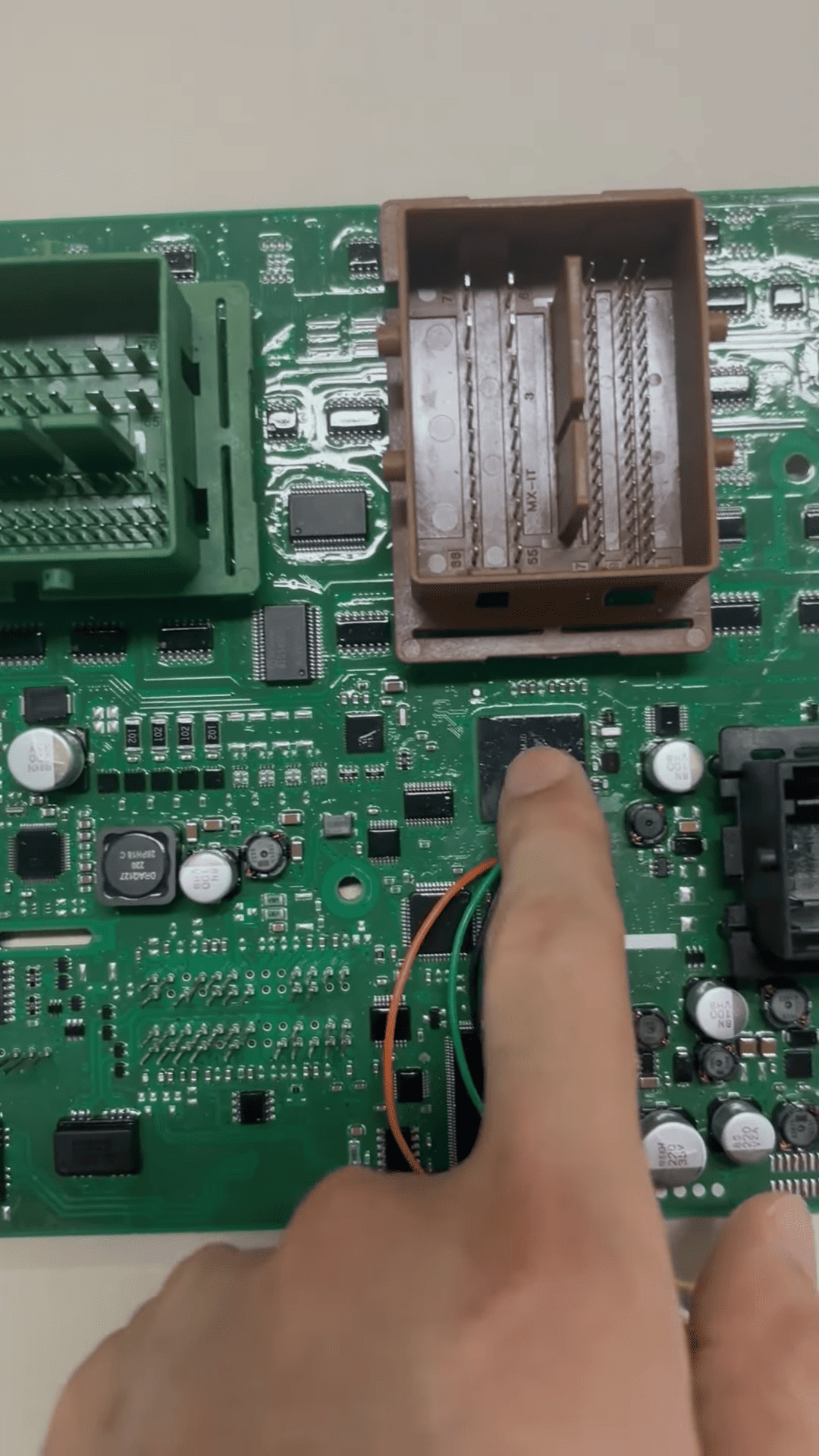
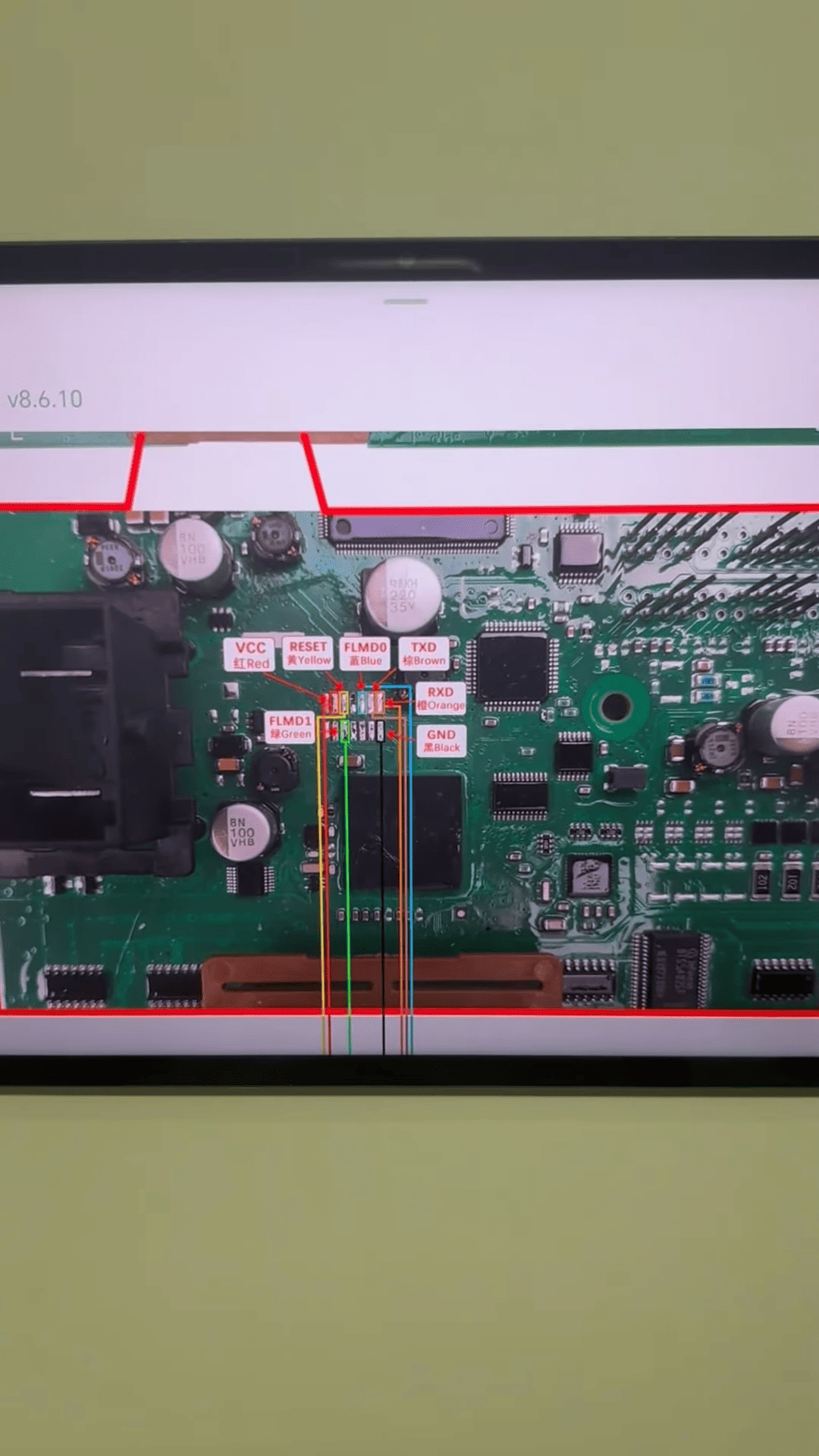
Connect the wires to the KEYDIY KD-X4.
In KD-X4 menu, select IMMO Programming > Chip Identification > Relevant Chip Type (e.g., specific CEM chip).
Read the CEM data to obtain the password (or query via third-party service if preferred).
Step 2: Read Current Key Count
Connect the KEYDIY KD-X4 OBD cable to the vehicle.
Navigate to IMMO Programming > Select by Vehicle > Volvo > XC60 > Start.
Read the number of existing keys (e.g., shows 1 key).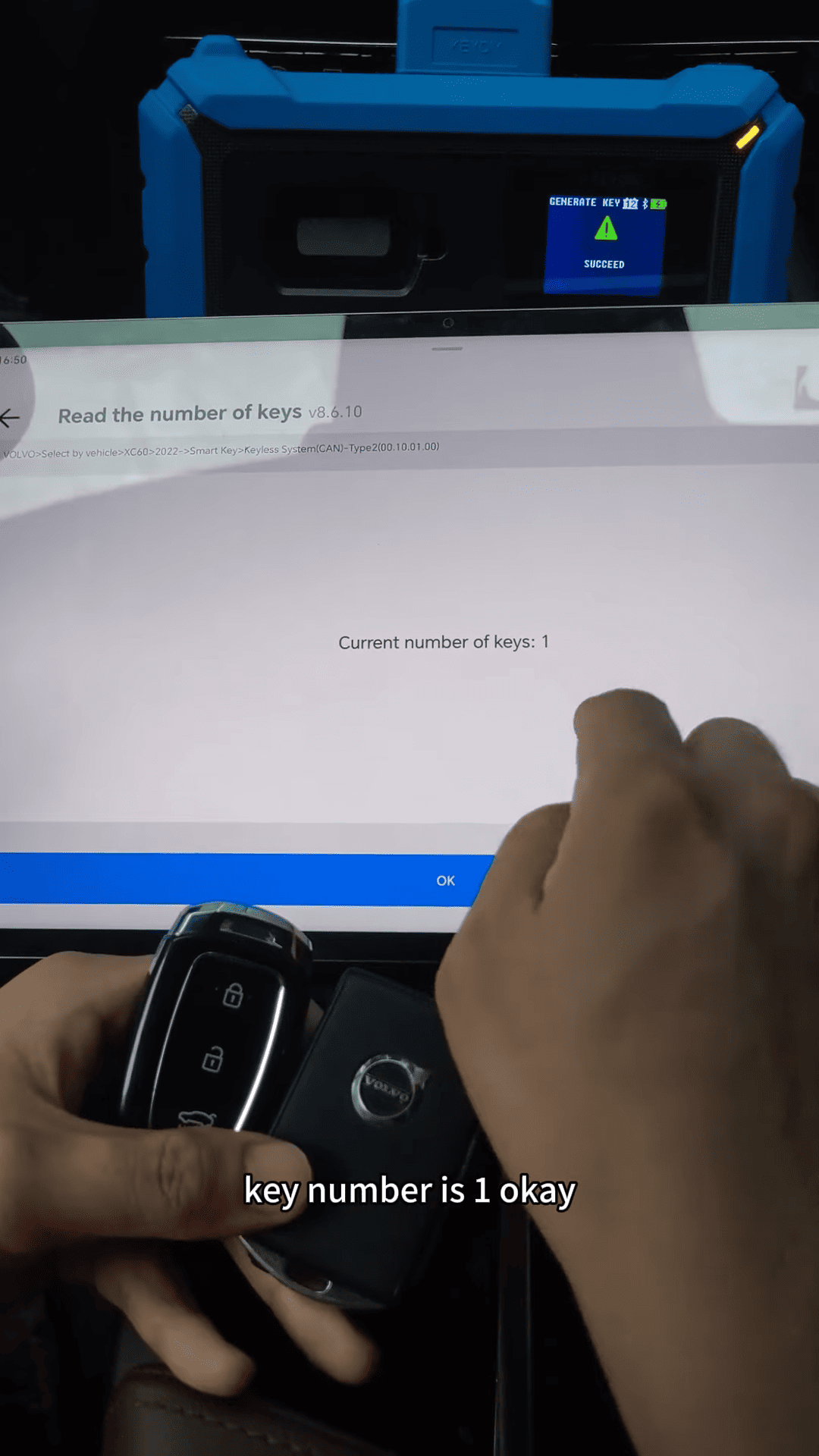
Step 3: Add New Smart Key
Select Smart Key Inquiry > Yes.
Load the CEM module data.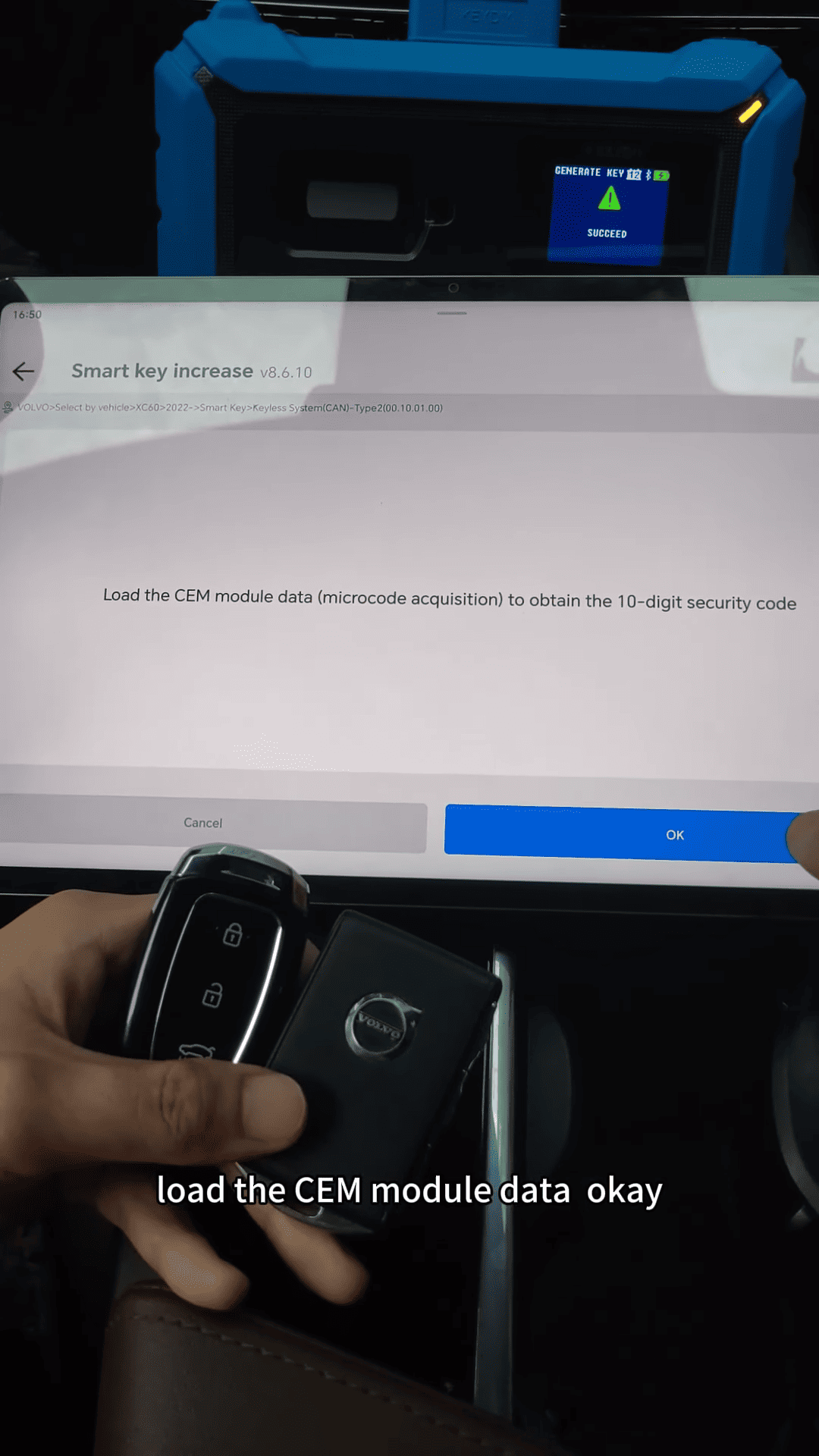
Close all doors and turn the start knob to the right once, then release.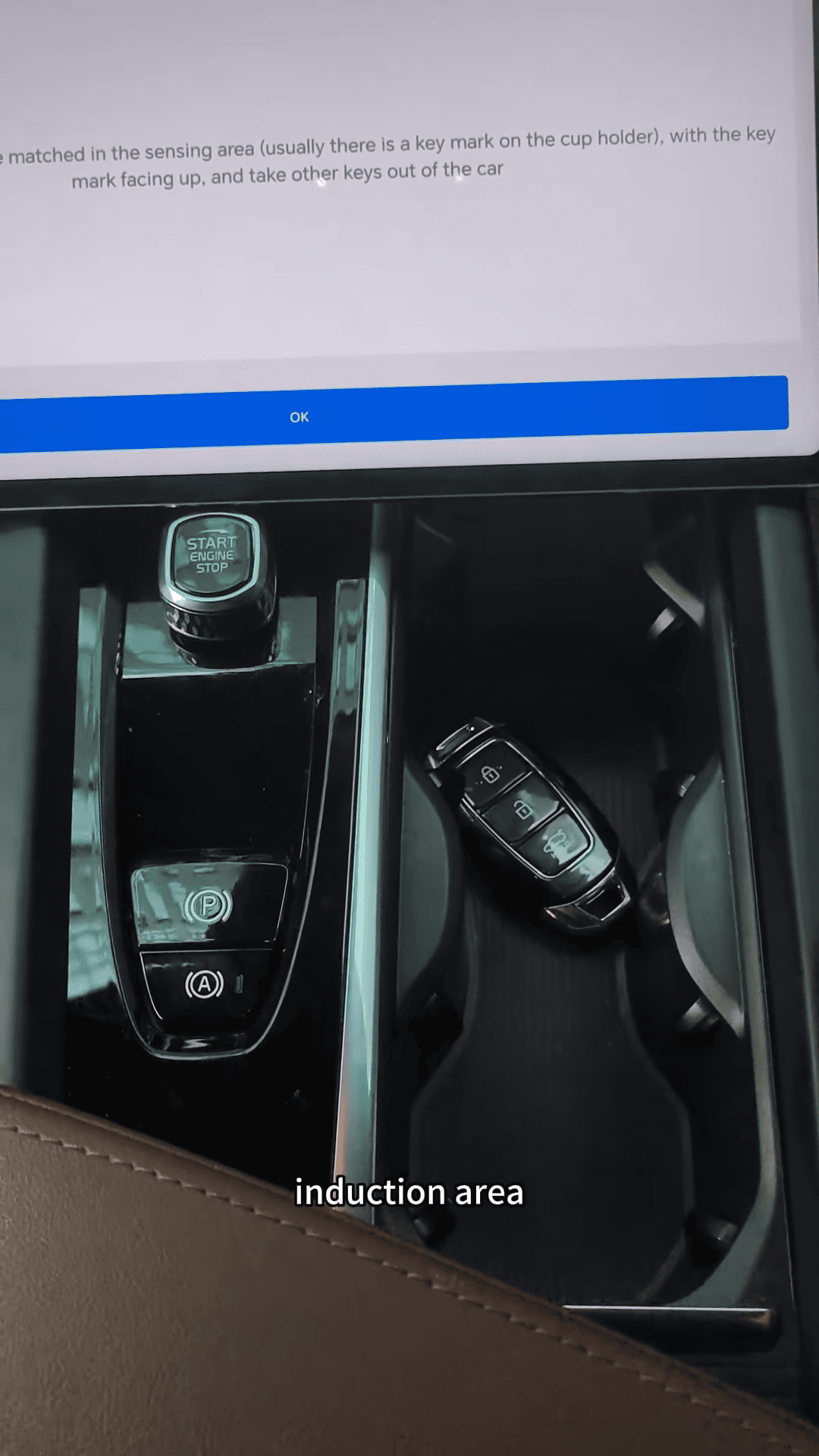
Place the new smart key in the induction area (arrow-marked spot).
Follow prompts to complete matching.
Step 4: Verify and Test
Read key count again (should show 2 keys).
Test the new key: Start the car, check lock/unlock functions.
KD-X4 Key Programmer makes this process efficient and reliable for locksmiths – no PIN required after CEM read. Always verify wiring to avoid errors.